
Have you ever typed a universal website address – such as brand.com – into your browser, only to be instantly redirected to brand.com/uk/, de.brand.com, or a localized storefront displaying completely different products, local currencies, and unfamiliar languages?
This automatic redirection is not a random glitch, nor is it a simple display preference. It is the result of automated server-side location detection systems engineered by global digital services. Modern web platforms customize their user experience dynamically based on where you are located. Understanding how these location triggers operate – and the business logic driving them – helps you navigate localized websites, access missing features, and safely switch to your preferred regional storefront.
How servers detect your location: The underlying technology
When you initiate a connection to a global website, your browser inadvertently transmits a trail of digital identifiers. Web servers and Content Delivery Networks (CDNs) analyze these data points in milliseconds to determine your physical location before serving a single line of code.
IP geolocation databases
The primary mechanism behind regional redirection is IP geolocation. Every device connected to the internet is assigned a public IP address. Global services cross-reference your IP address against massive commercial databases – such as MaxMind or IP2Location – which continuously map IP blocks to specific countries, cities, and Internet Service Providers (ISPs). If your IP resolves to Germany, the server immediately triggers a redirect rule to serve the German version of the site.
CDN edge routing
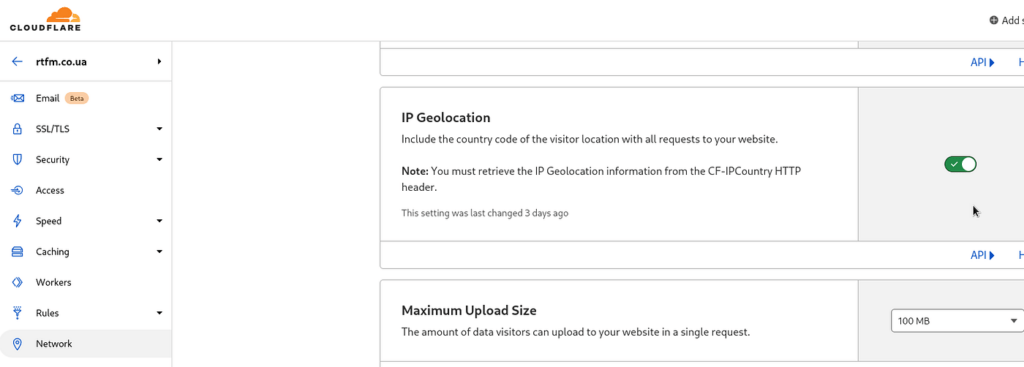
Modern web infrastructure relies heavily on Content Delivery Networks (CDNs) like Cloudflare, Akamai, or Fastly. CDNs operate networks of edge servers distributed across the globe. When you request a webpage, the CDN’s edge server inspects your request at the nearest physical node. To optimize loading speeds and comply with regional server rules, the edge server dynamically serves localized content directly from that geographic node, bypassing the main origin server entirely.
Browser headers and session storage
Beyond your IP address, your web browser actively communicates location preferences via HTTP request headers, specifically the Accept-Language header. Furthermore, websites store regional preferences in session cookies or local storage. Once a server assigns you to a specific country version, a persistent cookie is dropped onto your device. This ensures that even if your IP slightly fluctuates later, the website continues to remember your assigned region across future visits.
Behind the curtain: Why global brands restrict content and features by region
Regional web customization is rarely just about translation; it is driven by complex legal, financial, and commercial realities.
Commercial licensing and regional price discrimination
Streaming platforms (like Netflix or Prime Video) and digital publishers operate under territorial licensing agreements. A movie studio may grant a platform the right to stream a film in the United States, but sell the European distribution rights to a local broadcaster. Consequently, streaming catalogs must be geo-fenced.
Similarly, e-commerce retailers practice regional price discrimination – adjusting product availability and pricing structures based on local purchasing power, shipping logistics, import tariffs, and local competitive landscapes.
Legal regulations, tax compliance, and payment gateways
Global compliance is another major driver of regional web splits. For example, websites serving users within the European Union must strictly comply with General Data Protection Regulation (GDPR) mandates, cookie consent banners, and European consumer rights laws. Rather than applying heavy compliance frameworks globally, companies isolate these features into dedicated European sub-domains.
Additionally, financial compliance dictates regional storefronts. To process payments, e-commerce sites must integrate local payment gateways (such as iDEAL in the Netherlands or Alipay in China) and collect localized Value-Added Tax (VAT) or sales tax at checkout.
Quick reference guide: Spotting your assigned region in seconds
When landing on an unexpected version of a global website, use this quick reference matrix to identify the visible regional indicators and determine your next course of action:
| Visual sign to check | Where to look on the page | What it means & recommended next action |
| Country code in URL | Address bar immediately after the domain (e.g., /en-gb/, /de/, or uk.brand.com). | The server has assigned you to a regional subdirectory or subdomain. Use the site’s region selector to switch. |
| Language or currency mismatch | Top navigation bar, footer, or product price display (e.g., prices in € or ¥). | Your IP resolved to a foreign region. Locate the currency/language picker (globe or flag icon) to adjust. |
| Different login or payment options | Sign-in page or checkout screen (e.g., requiring a local phone number or regional card). | The platform enforces regional payment processing. Check help documentation for localized billing rules. |
Practical steps to fix or switch to your preferred region
If a global website automatically assigns you to the wrong region or blocks access to a specific storefront, follow these practical, safe steps to resolve the issue:
Utilizing native region selectors vs. clearing session storage
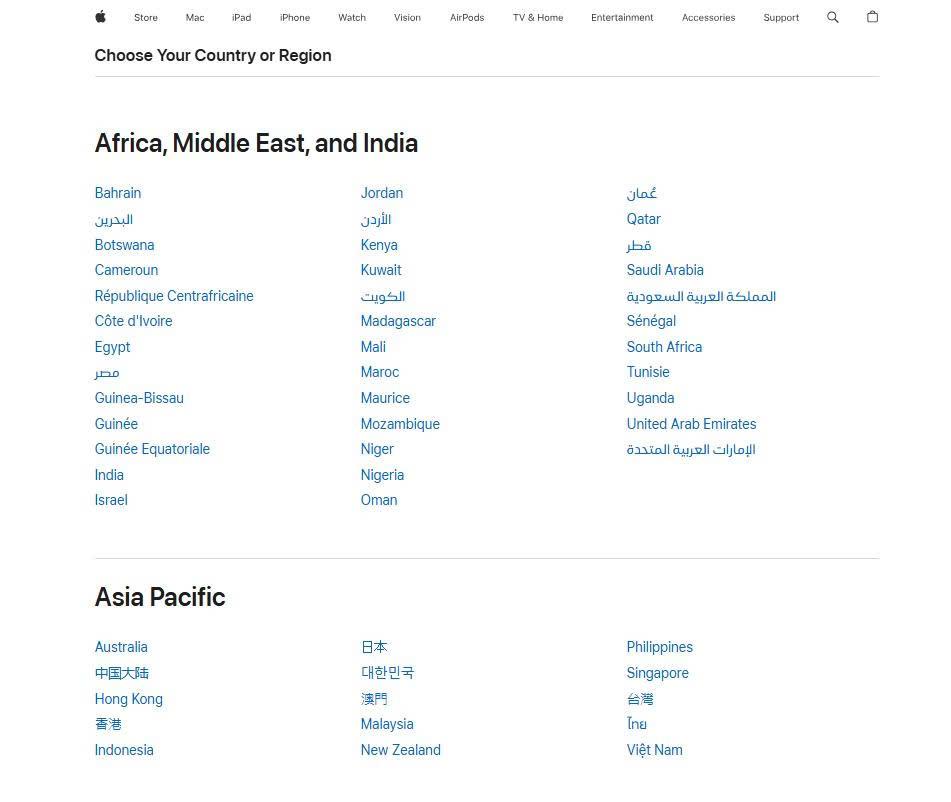
The safest and most reliable method to switch regions is using the platform’s native country picker. This is typically represented by a globe icon, a flag symbol, or a dropdown menu located in the top navigation bar or the footer. Selecting your desired country manually drops an updated preference cookie onto your browser, overriding the server’s initial IP guess.
If the site continuously forces you back to the wrong country despite using the region selector, your browser is likely trapped in a cookie loop. Clear your browser cookies and cache for that specific domain. Clearing session storage forces the server to evaluate your session fresh upon your next visit.
Navigating VPN location overrides safely
If you utilize a Virtual Private Network (VPN) for privacy, your internet traffic exits through a remote server. Websites treat the VPN server’s exit IP as your physical location. If your VPN is connected to a server in London, websites will strictly serve you the UK storefront. Disconnecting your VPN or routing it through a server in your actual country will restore your local web experience.
Frequently asked questions about regional redirects
Why does a website keep redirecting me to the wrong region even when my VPN is turned on?
This usually occurs because your browser is storing an persistent regional preference cookie from a previous visit, or because your browser’s HTTP Accept-Language header is overriding the IP detection. To fix this, clear your browser cookies and cache for that domain, or open the URL in a Private/Incognito window after enabling your VPN before navigating to the site.
Is it safe to switch my account region to buy digital subscriptions or games at lower prices?
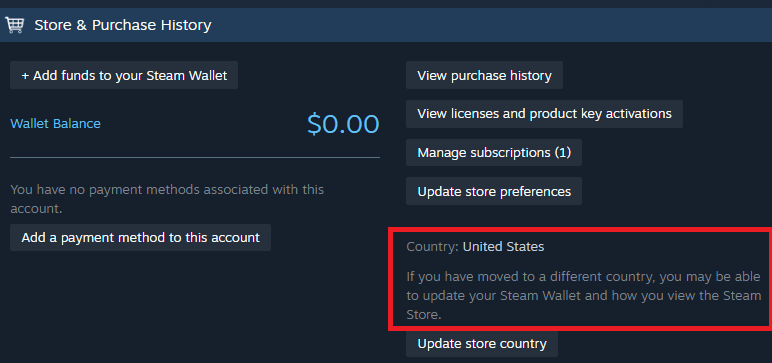
While not illegal, attempting “regional pricing arbitrage” frequently violates a service’s Terms of Service (TOS). Major digital platforms (such as Steam, PlayStation, and major SaaS tools) actively monitor payment card issuing countries (BIN checks) and proxy IP ranges. If caught, platforms reserve the right to permanently suspend your account or freeze digital assets.
Why does a foreign website show prices in my local currency but still charge my bank in USD?
This is caused by Dynamic Currency Conversion (DCC) or frontend currency display widgets. The website uses a visual plugin to display local currency equivalents for user convenience, but their backend payment processor is registered overseas and only acquires transactions in USD or EUR. This can result in unexpected foreign transaction fees from your issuing bank.